
Get the power of Gmail
Get a professional email for your business with all the powerful features of Gmail.
Google’s productivity apps with email at your own business address.
 Custom business emailGmail with your own address, like you@yourbusiness.com.
 Video meetingsMeet face to face with Google Meet, right from your calendar or inbox.
 Shared calendars and cloud storagePlan together with shared calendars and keep files in Google Drive.
Starting from $4.80/mo on a 3-year plan
Choose a Google Workspace plan that serves your business requirement.
Google apps with email on your domain.
Meeting recordings and more storage for teams.
Advanced security controls for larger teams.
Enterprise-grade controls for large organisations.
All plans are paid upfront. The monthly rate is the total plan price divided by the number of months in your plan.

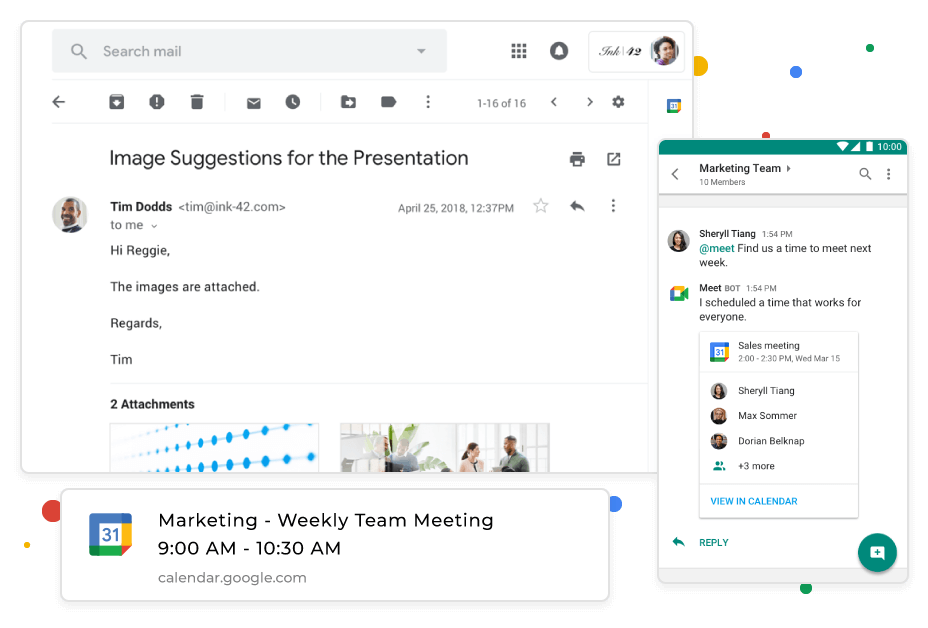
Get a professional email for your business with all the powerful features of Gmail.

Add reminders, schedule meetings and never miss a thing with smart calendar.

Stay connected with your colleagues with HD video calls via Google Meet and Google Chats.

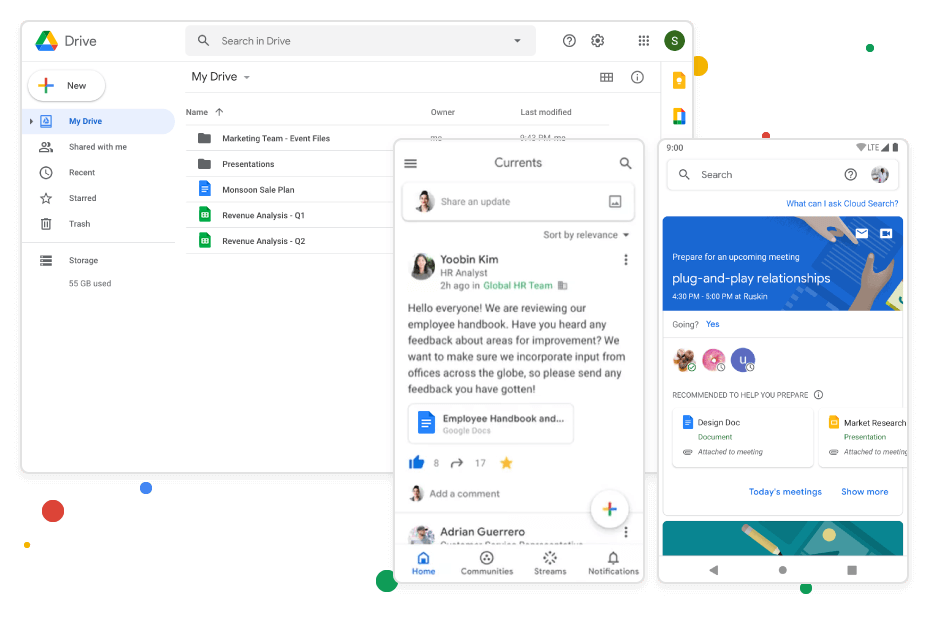
Save your work on the cloud and collaborate in real time.

Search across all your files with cloud search.

Engage employees. Have meaningful discussions. Stay current — together.

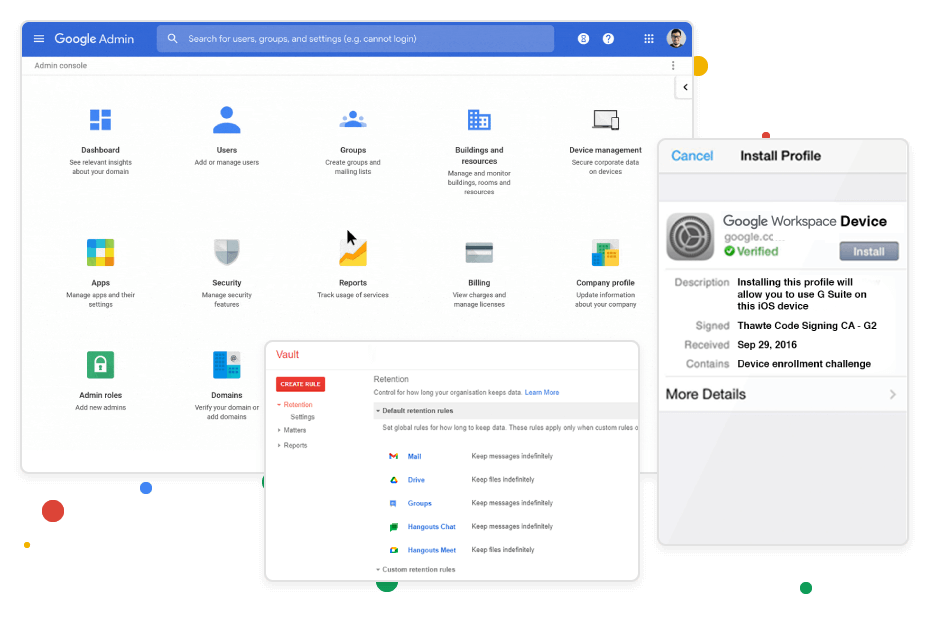
Manage users, groups and permissions through the admin console.

Store and archive your data on Vault and never miss any information.

Manage and secure multiple devices with endpoint mangement.
We're a new company, so instead of borrowed numbers, here's what you can count on from day one.
“Hostavik is just getting started, and every one of our first customers matters to us. Tell us what's working and what isn't.”
Every plan shows its full price before you pay, with nothing hidden at checkout.
Domains are registered in your name, and you can move them to another provider whenever you choose.
Open a support ticket or contact us from your account, and follow every reply in one place.
Manage your domains, hosting, email and invoices from a single dashboard.
Already a customer? Share your feedback

Have questions? We've got answers.
Our team is here to help with sales, billing and technical questions.
Contact usYes, you can use a domain you already own with your Google Workspace order. During setup you confirm that you own the domain and update its mail (MX) records so that email is delivered to Google. If you do not have a domain yet, you can register one with us first.
When you move to Google Workspace from another program or web service, you and your users can bring your existing mail, contacts and calendar data with you. There are several ways to migrate, depending on the size of your organisation and the system you are moving from. Tools are available for migrating from Microsoft Exchange, Lotus Notes, IMAP servers and other Google accounts.
Each email account comes with 30 GB of space. For most users that is enough for many years of email, including attachments.
Yes. As well as using Gmail in your browser, you can send and receive mail in your favourite desktop email program, using either the IMAP or the POP protocol. If you are moving from Microsoft Exchange or another Outlook service, you can use Google Workspace Sync for Microsoft Outlook. This plug-in lets you keep using Outlook to manage your Google Workspace mail, calendar and contacts.
You can use any desktop email program, such as Microsoft Outlook, Apple Mail or Mozilla Thunderbird, as well as the Gmail app on your phone. Google Workspace supports the POP and IMAP protocols, so you can choose whether mail is downloaded to one device or kept in sync across all of them.
You can read your email on any smartphone or tablet. The Gmail interface works on all major mobile systems, including iOS and Android, and the Gmail app keeps your mail up to date across your devices.
Yes. Google Workspace is designed as an all-in-one solution, with tools that work closely together. For example, you can turn a message in Gmail into a Calendar event, collaborators are emailed automatically when you comment in Docs, Sheets or Slides, and you can start a video meeting from your inbox or calendar. Using the tools together improves productivity and gives your business the most value. However, you are welcome to buy the suite and use only the services you need.
Yes. You can create mailing lists, add and remove members, appoint a moderator, restrict who can join a list and even ban users from a list. A mailing list lets you email a whole team or department through a single address.
When you sign up for a Google Workspace account, you agree not to use it to send spam, distribute viruses or otherwise abuse the service. All users on your domain are subject to these agreements, which are part of the Google Workspace Acceptable Use Policy. If Google identifies a user who is violating them, it reserves the right to suspend that user immediately. If the problem is domain-wide, it reserves the right to suspend the entire account and deny administrator access to all Google Workspace services. In such cases, a notification is sent to the registered secondary email address of the domain administrator.
Yes, you can. Use Gmail's vacation responder to let people know that you cannot reply straight away. While it is turned on, Gmail automatically sends your reply to people who email you. You can set a start and end date, so it switches itself off when you are back.
Yes. During the transfer we move all your email accounts from your old provider to us, and your data stays intact. Please note that any time remaining on your subscription with the other provider does not carry over to us. To start the transfer, open a support ticket and we will guide you through the process.
Start with a domain name, add hosting and a professional email address, and manage it all from one account.
Find your domain